The site language may differ from the one you are using.
Select the language:
Apply
close

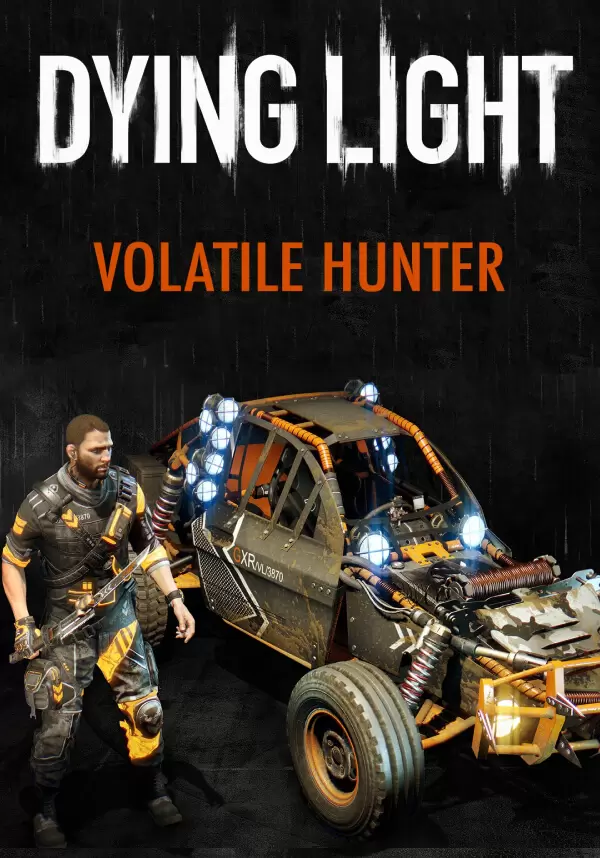
Dying Light - Volatile Hunter Bundle (DLC)

dlc
Classification d'âge:
18+
Langue:
EN
Plate-forme:
PC
Date de sortie:
19 avril 2016
Développeur:
Acheter
Ce produit n'est pas disponible dans votre région
Classification d'âge:
18+
Langue:
EN
Plate-forme:
PC
Date de sortie:
19 avril 2016
Développeur:

Spread terror among hordes of night zombies! Don your fluorescent outfit, equip special weapons, and get behind the wheel of the Volatile Hunter. Prove you were born in the dark, molded by it. The Volatile Hunter Bundle includes: a new buggy paint job, a new character outfit, blueprints for a new sword, baton, maul, and knife. Note: This content requires Dying Light: The Following expansion pack.


DYING LIGHT & DYING LIGHT: THE FOLLOWING © Techland 2021. Published by Techland. All other trademarks and copyrights are the property of their respective owners.

MINIMUM:

  • OS: Windows® 7 64-bit / Windows® 8 64-bit / Windows® 8.1 64-bit
  • Processor: Intel® Core™ i5-2500 @3.3 GHz / AMD FX-8320 @3.5 GHz
  • Memory: 4 GB RAM DDR3
  • Hard Drive: 40 GB free space
  • Graphics: NVIDIA® GeForce® GTX 560 / AMD Radeon™ HD 6870 (1GB VRAM)
  • DirectX®: Version 11
  • Sound: DirectX® compatible
  • Additional Notes: Laptop versions of graphics cards may work but are NOT officially supported.
    Windows-compatible keyboard, mouse, optional controller (Xbox 360 Controller for Windows recommended)

RECOMMENDED:

  • OS: Windows® 7 64-bit / Windows® 8 64-bit / Windows® 8.1 64-bit
  • Processor: Intel® Core™ i5-4670K @3.4 GHz / AMD FX-8350 @4.0 GHz
  • Memory: 8 GB RAM DDR3
  • Hard Drive: 40 GB free space
  • Graphics: NVIDIA® GeForce® GTX 780 / AMD Radeon™ R9 290 (2GB VRAM)
  • DirectX®: Version 11
  • Sound: DirectX® compatible
  • Additional Notes: Laptop versions of graphics cards may work but are NOT officially supported.
    Windows-compatible keyboard, mouse, optional controller (Xbox 360 Controller for Windows recommended)
steam

1. Enregistrez un compte Steam.

2. Dans le menu "Mes jeux", cliquez sur "Activer via Steam..." et entrez la clé